DealShield AI
A Chrome extension that reads a tough negotiation email in Gmail and drafts three fact-checked replies you can insert in one click.
- Status
- Live
- Stack
- Chrome Extension (MV3), React, Vite, Tailwind CSS, Node.js, Express, Zod, Groq, gpt-oss-120b, Supabase, Razorpay, Render
- reply strategies per email, each with the reasoning behind it
- 3
- AI passes: draft, then fact-check against the email
- 2
- free analyses a month; Pro is unlimited
- 10
Screens
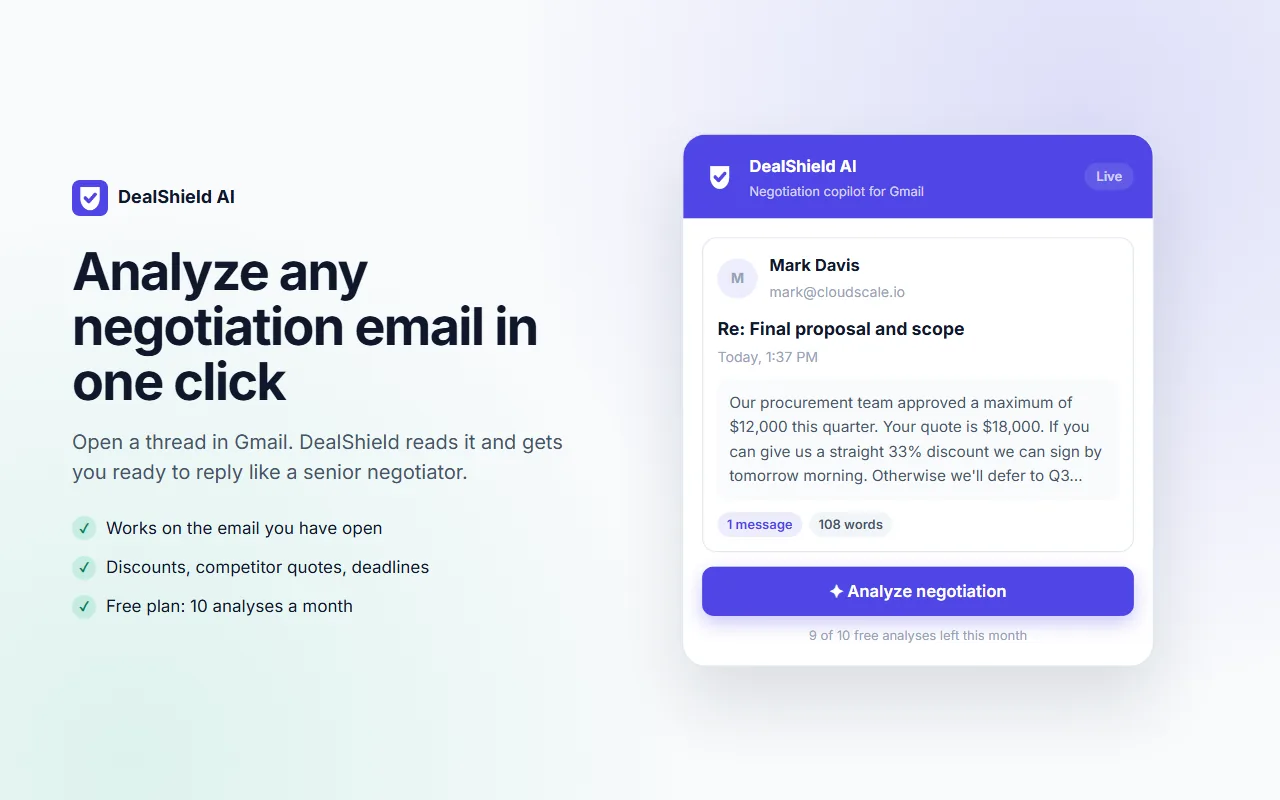
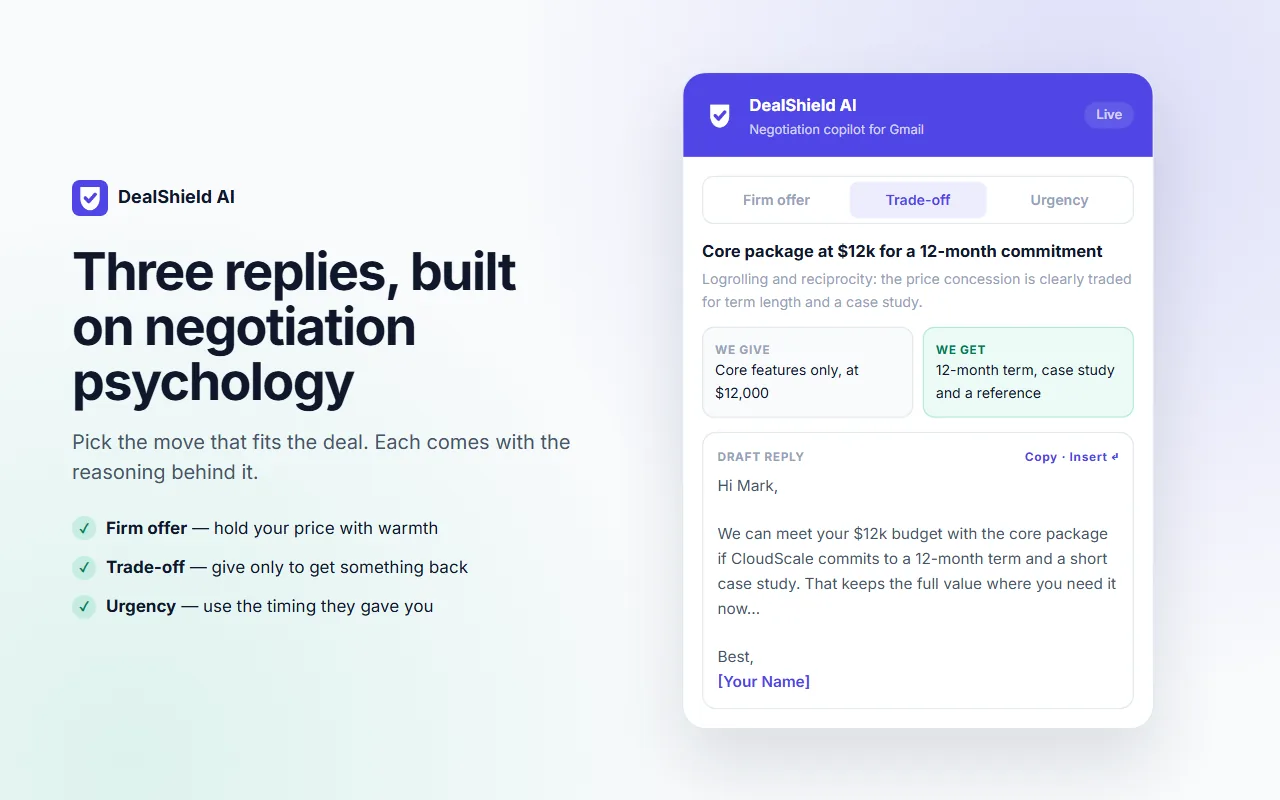
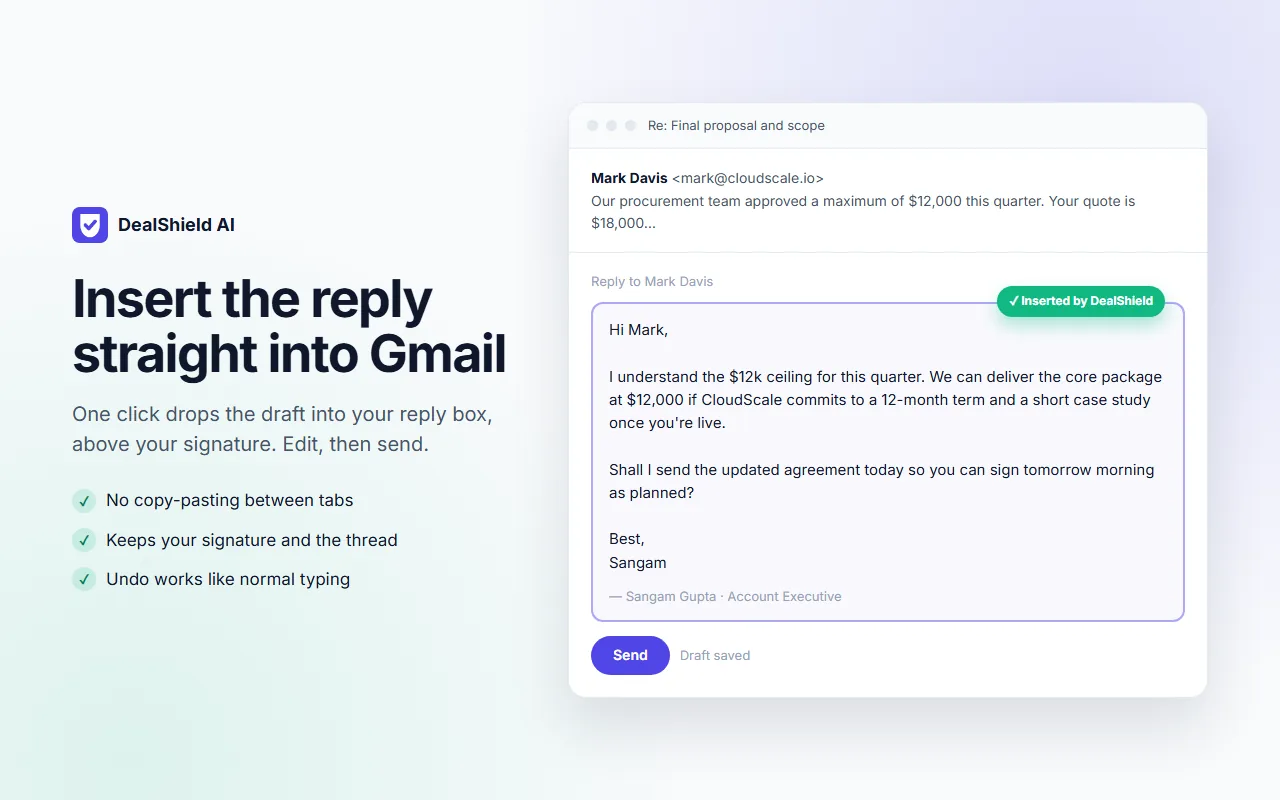
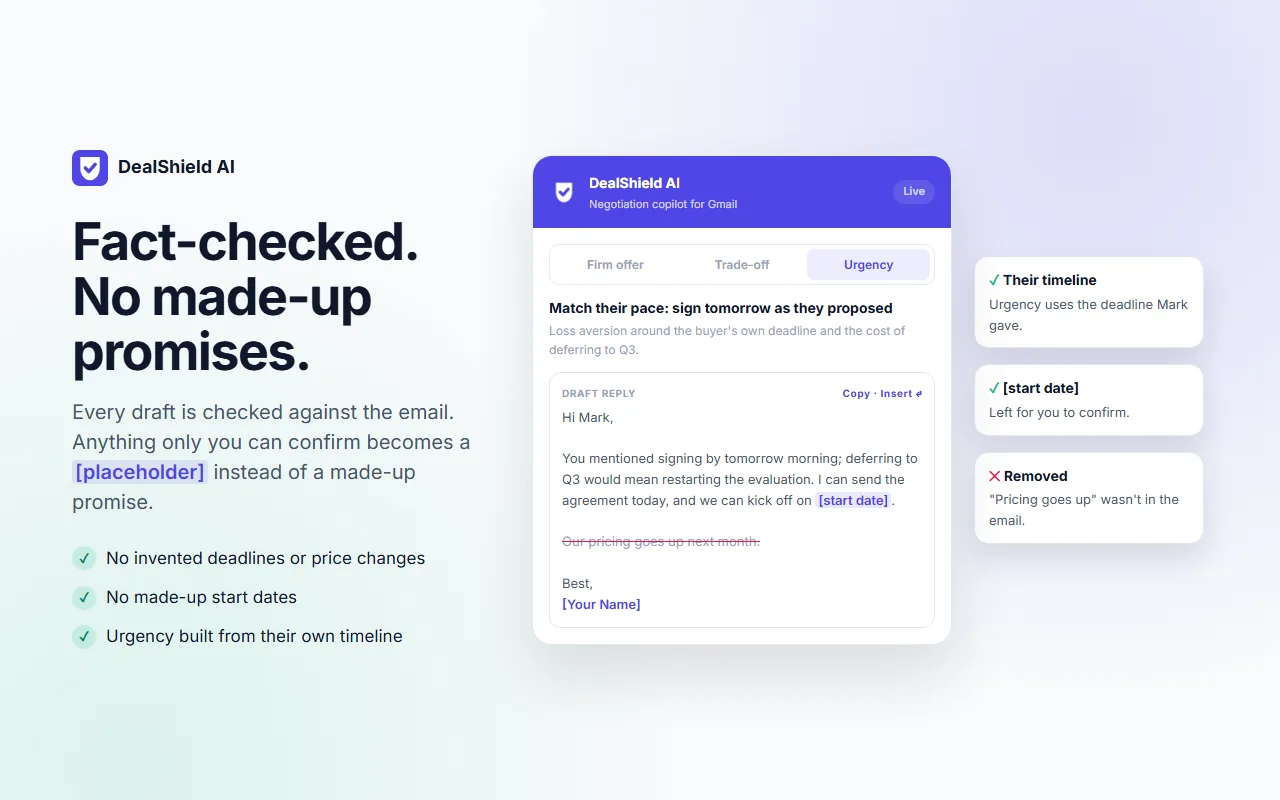
How it fits together
- Gmail thread
- Content script
- Popup
- Gmail sidebar
- Express API: auth and quota
- Groq gpt-oss-120b strategies
- Fact-check pass
- Insert into Gmail
Negotiation copilot for Gmail, published on the Chrome Web Store. A React extension reads the open thread, an Express API asks Groq's gpt-oss-120b for three strategies under a strict JSON schema, and a second pass checks every draft against the email. Free and Pro plans, with Razorpay subscriptions.
The problem
Replying to a prospect who wants 33% off, cites a competitor or sets a deadline is where deals are won or lost. A plain AI draft makes it worse in a new way: it invents deadlines, price changes or start dates you never agreed to, and you might send them.
How I built it
- Read the open Gmail thread with a content script; nothing leaves the browser until the user accepts a data notice and clicks Analyze, and the email text is never stored.
- Show the result in the popup and in a Shadow DOM sidebar inside Gmail, built with React 19, Vite and Tailwind on Manifest V3, asking only for storage and mail.google.com.
- Send the thread to an Express 5 API that checks the Supabase login, validates input with Zod, rate-limits, and enforces the Free and Pro quotas.
- Ask Groq's gpt-oss-120b for three strategies under a strict JSON schema generated from Zod: a firm offer, a trade-off that spells out the give and the get, and an urgency reply built from the prospect's own timeline. Retry once if a generation breaks the schema.
- Run a second pass that compares each draft with the email and turns anything it doesn't support, like a new deadline or price, into a [placeholder] for the user to confirm. If that pass fails, the drafts come back unchecked and the UI asks the user to review them.
- Insert the chosen draft into Gmail's reply box above the signature in one click.
- Keep error logs free of email content: only the status and error code are logged.
- Store subscriptions, usage and history in Supabase Postgres with row-level security; bill Pro through Razorpay subscriptions with signed webhooks.
Where it is now
Published on the Chrome Web Store with a website, privacy policy and support page. I built it with Claude Code as my pair programmer.
Ask about DealShield AI
Answers come from this case study and its code on GitHub.